The Template Path for each server is configured in the Template Path subnode.
Note
The Template Path configuration is optional, but recommended.
It is common practice to define multiple logical systems, for example Development, Test, and Production.
Each logical system can then use its own dedicated template path.
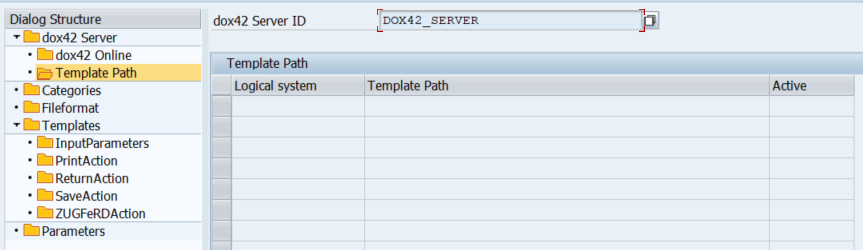
Template Path subode
Configuration fields
Note
The dox42 Server ID will appear as defined in the dox42 Server node.
Parameter | Description |
|---|---|
| Logical system ID of your SAP system. |
| Folder path on the dox42 Server where the templates are stored.
|
| Set your Template Path as active by selecting the checkbox. |