To use the DropboxAction, you have to generate an OAuth2 token.
Steps
Create a new app on https://www.dropbox.com/developers/apps/create.
a. Choose an API.
b. Choose Full Dropbox as type of access.
c. Name your app.
d. Select the Create app button.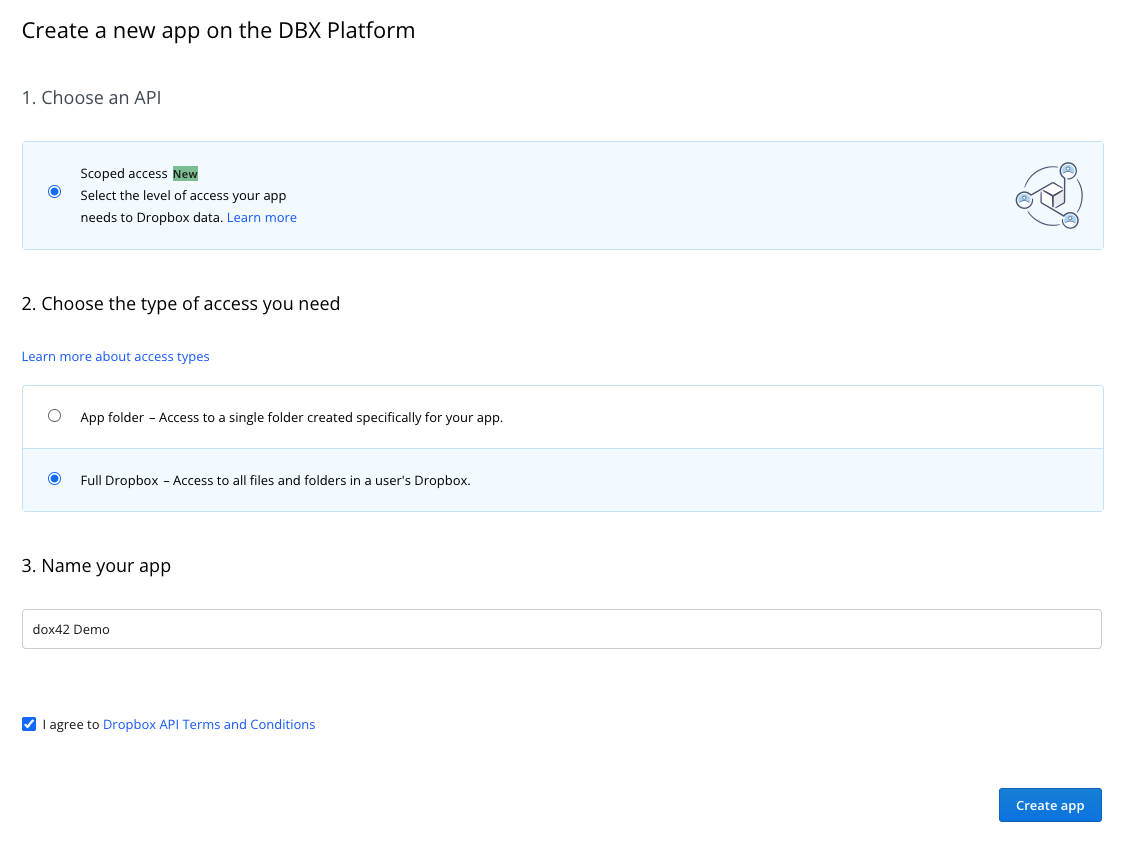
Creating a new app on the DBX Platform with API and access options
In the next window, select the Generate button in the OAuth 2 section in order to receive an OAuth2 token that can be used for the DropboxAction.
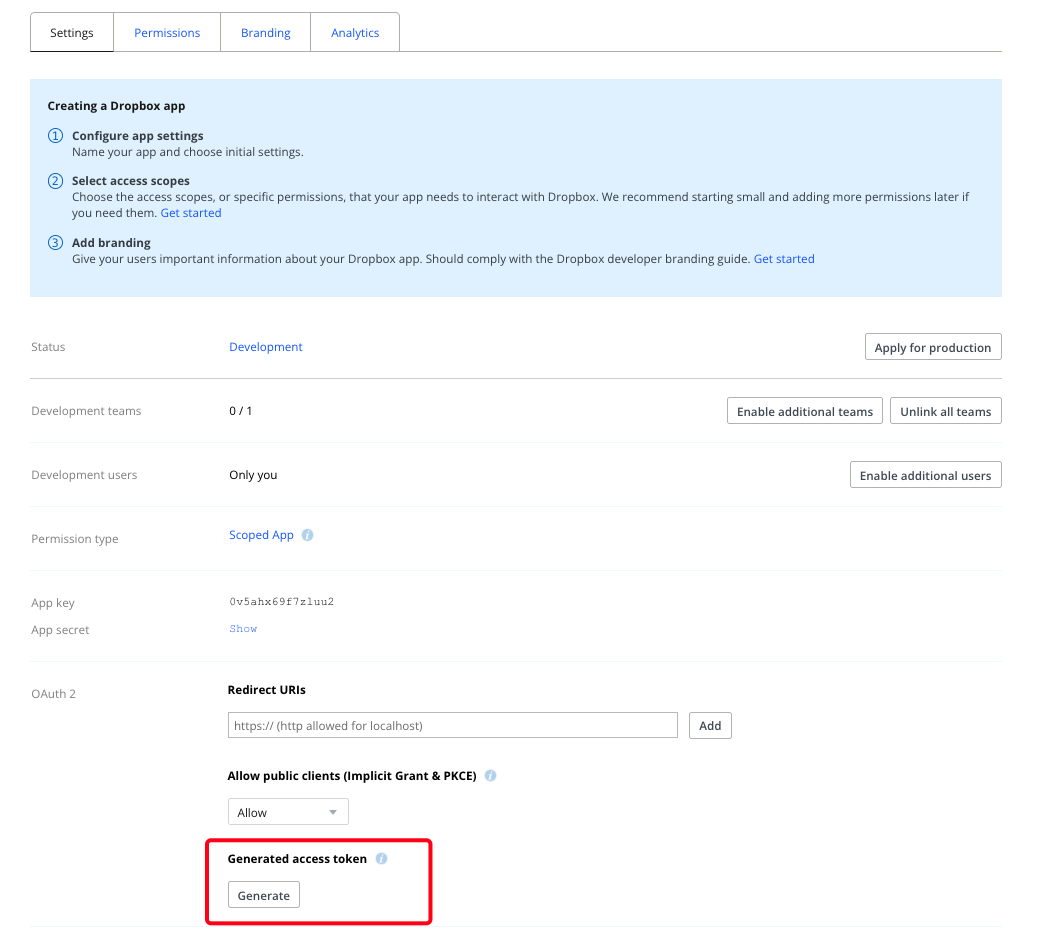
Settings page for creating a Dropbox app with highlighted access token section.
Copy your access token to use the DropboxAction in a dox42 Server call or to create a call with the dox42 Service Designer.

Access token information displayed with a warning about sharing it securely
Result
You have created a new app on Dropbox and generated the necessary OAuth2 token for the DropboxAction.