Documentation Index

Fetch the complete documentation index at: https://help.dox42.com/llms.txt

Use this file to discover all available pages before exploring further.

Configuring the document type

Prev Next

You need to configure the document type, that dox42 should use.

Steps

  1. Go to System administration > Setup > dox42 > dox42 company parameters.

  2. From the Document type dropdown select the desired entry.

    Note

    We recommend using type MS Azure blob storage for the document type.
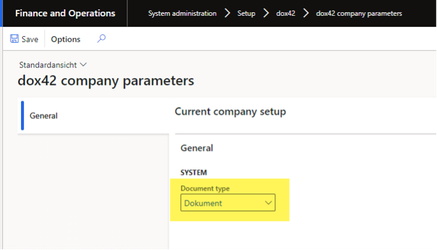
    dox42 company parameters page showing document type selection in system settings.

    dox42 company parameters page

  3. Select Save.

Result

You have configured the document type.

© dox42 2026. All rights reserved.