Integration profiles
An integration profile is used as an identifier of the external system where the request is sent from (System administration > Setup > dox42 integration framework > dox42 integration profiles).
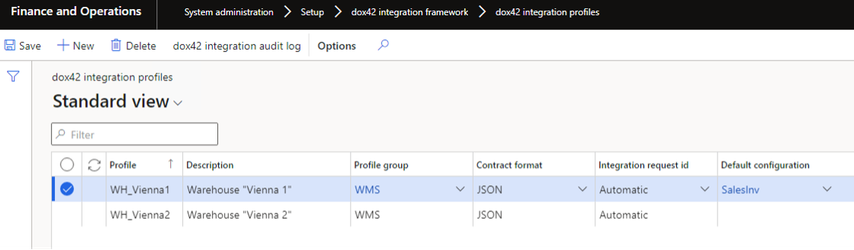
Integration profiles
Element | Description |
Profile | Integration profile identifier. |
Description | Description of the integration profile. |
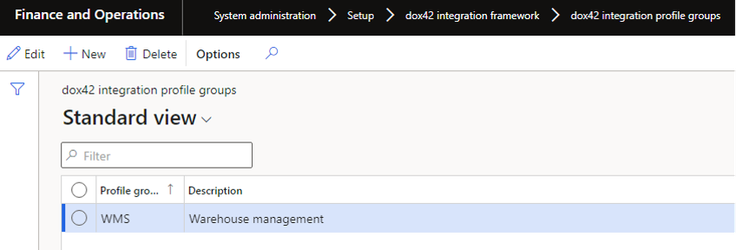
Profile group | A group of the profiles can be managed together (System administration > Setup> dox42 integration framework > dox42 integration profile groups):
For example, different, warehouses can be combined into one profile group called WMS etc.
|
Contract format | Integration request/response data format (by default is JSON, it can be extended with custom formats). |
Integration request id | Request identifier for tracing purposes (GUID):
|
Default configuration | Default value of the configuration used when the configuration is not specified explicitly in the request. If the field is empty, then the system will stop processing and cause an error message if no configuration is specified in the request for some reason. |
It is recommended to specify the integration profile in the request. But, if you do not want to send the integration profile in the request (for example, you have only one external system), then you can set a default value for the integration profile in the parameters (System administration > Setup > dox42 integration framework > dox42 integration parameters), this value will be used if no profile is specified in the request. If no default value is specified and no profile is specified in the request, then the system will stop processing cause an error message.
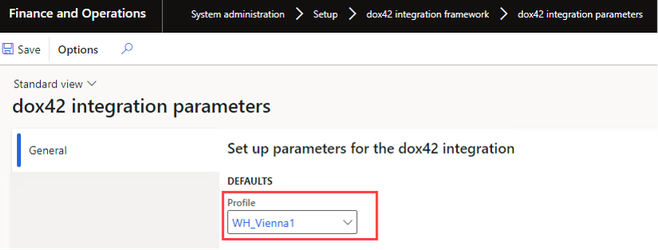
dox42 integration parameters
Integration configurations
An integration configuration is intended to be a representation of the report for the external systems (System administration > Setup > dox42 integration framework > dox42 integration configurations). The configuration contains models, versions, and formats. As well as format mapping, which determines which format will be used in each specific case (depending on the requested model and version of the configuration). External systems do not request formats directly, they request a combination of:
Configuration
Model
Version
Subsequently the appropriate format is found and called then based on the format mapping.
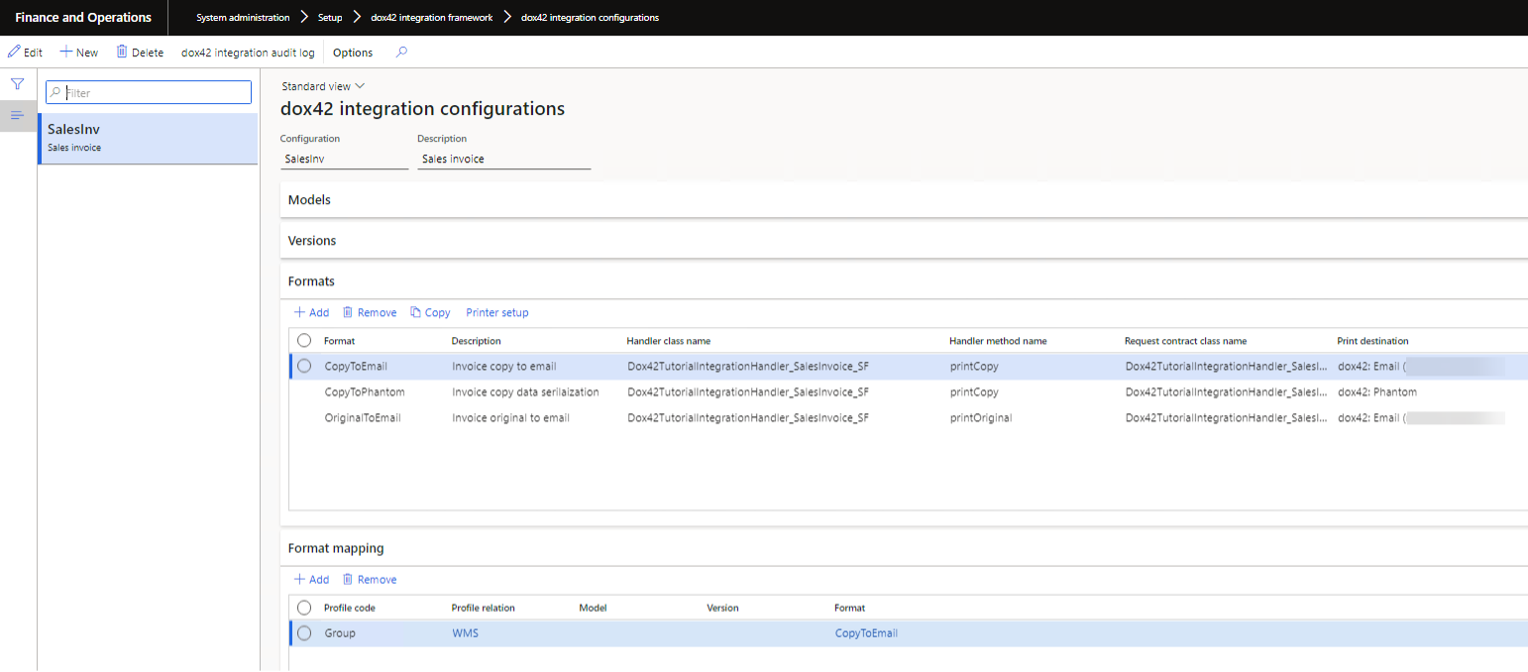
dox42 integrations configuration
Element | Description |
Configuration | Integration configuration identifier. |
Description | Description of the integration configuration. |
Models | Models (optional) can be used to differentiate the integration configuration according to a certain attribute, depending on your needs. For example, you can differentiate the integration configuration by country if the processing logic depends on it (AT, BE, DE, FR, NL, etc.). External systems will be able to request a specific configuration model in this scenario.
|
Versions | Versions (optional) can be used to register different versions of the configuration can obtain simultaneously (for example, v1.0, v1.1, v1.2, v2.0, etc.). It can be a powerful feature to synchronize configuration updates in D365 FSCM with the external systems. External systems will be able to request a specific configuration version in this scenario.
|
Formats | Formats are used to define the processing logic of the configuration.
|
Format mapping | Determines possible scenarios and formats used.
|
Integration settings overview
An overview form is available to see all configured integration scenarios in one place (System administration > Inquiries > dox42 integration framework > dox42 integration overview).

Integration settings overview