You can test integration requests prior to establishing a real connection with external systems.
Steps
In D365 FSCM go to System administration > Periodic tasks > dox42 integration framework > dox42 integration request processing.
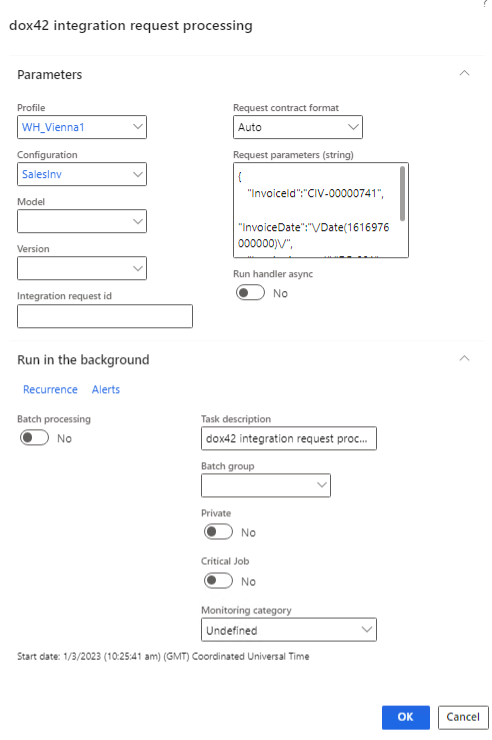
dox42 integration request processing
Enter requests parameters:
Profile: integration profile.
Configuration: integration configuration.
Model: integration configuration model.
Version: integration configuration version.
Integration request id: integration request identifier.
Request contract format: the format used to pass request parameters.
Request parameters (string): string containing request parameters in the selected format. Set of available parameters is specified in the contract class you can see in the field “Request contract class name” of the configuration format. For example, it can be a JSON string:
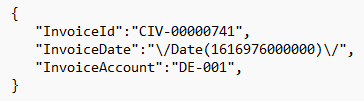
Run handler async: specifies whether processing should be asynchronous or synchronous.
Select OK to process the integration request (it will be run in context of the current D365 FSCM company).