In addition to reading SAP tables and calling SAP BAPI/RFC modules, the dox42 RFC for SAP data source allows you to call data from BW queries, too.
Steps
Select BW/Query in the Read drop down menu and enter the name of the BW query in the text field next to it.
In the lower third of the window, you can specify the column names you want to read, and you can choose whether they are returned as Dimension or Measure.
The Variables tab allows you to filter variables of your BW query with fields and values from other dox42 data sources.
By selecting the Test button, dox42 connects to your SAP system and returns the respective data.
Select OK.
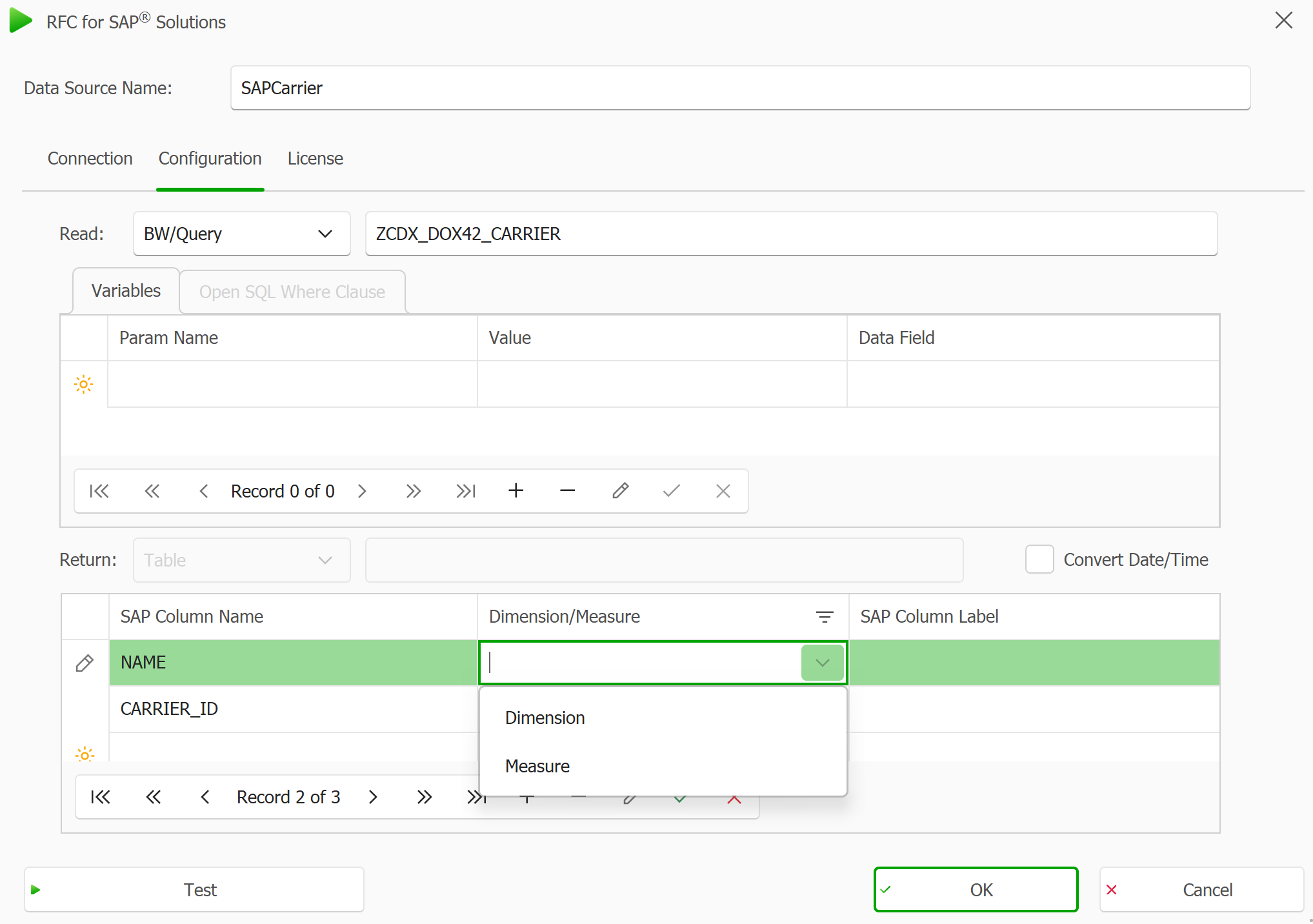
Configuration tab in the RFC for SAP window
Result
The data source is saved and you can now use the fields for designing your dox42 templates.