In addition to reading SAP tables, the dox42 RFC for SAP® data source allows you to call data from BAPI/RFC modules, too.
Steps
Select BAPI/RFC in the Read dropdown menu and enter the name of your BAPI/RFC in the text field next to it.
Note
Both standard and custom BAPIs can be called.
In the lower third of the window, you can choose between Table and Export Structure for Return. Enter the table name and the respective column names you want to read.
The Import Parameters/Structures tab allows you to filter fields of your BAPI with specific values or other dox42 data sources.
Define the structure of your input parameters as follows:
Structurename.Parametername.
In the image below, for example,DESTINATION_FROM.AIRPORTIDis set.By selecting the Test button, dox42 connects to your SAP system and returns the respective data.
Select OK.
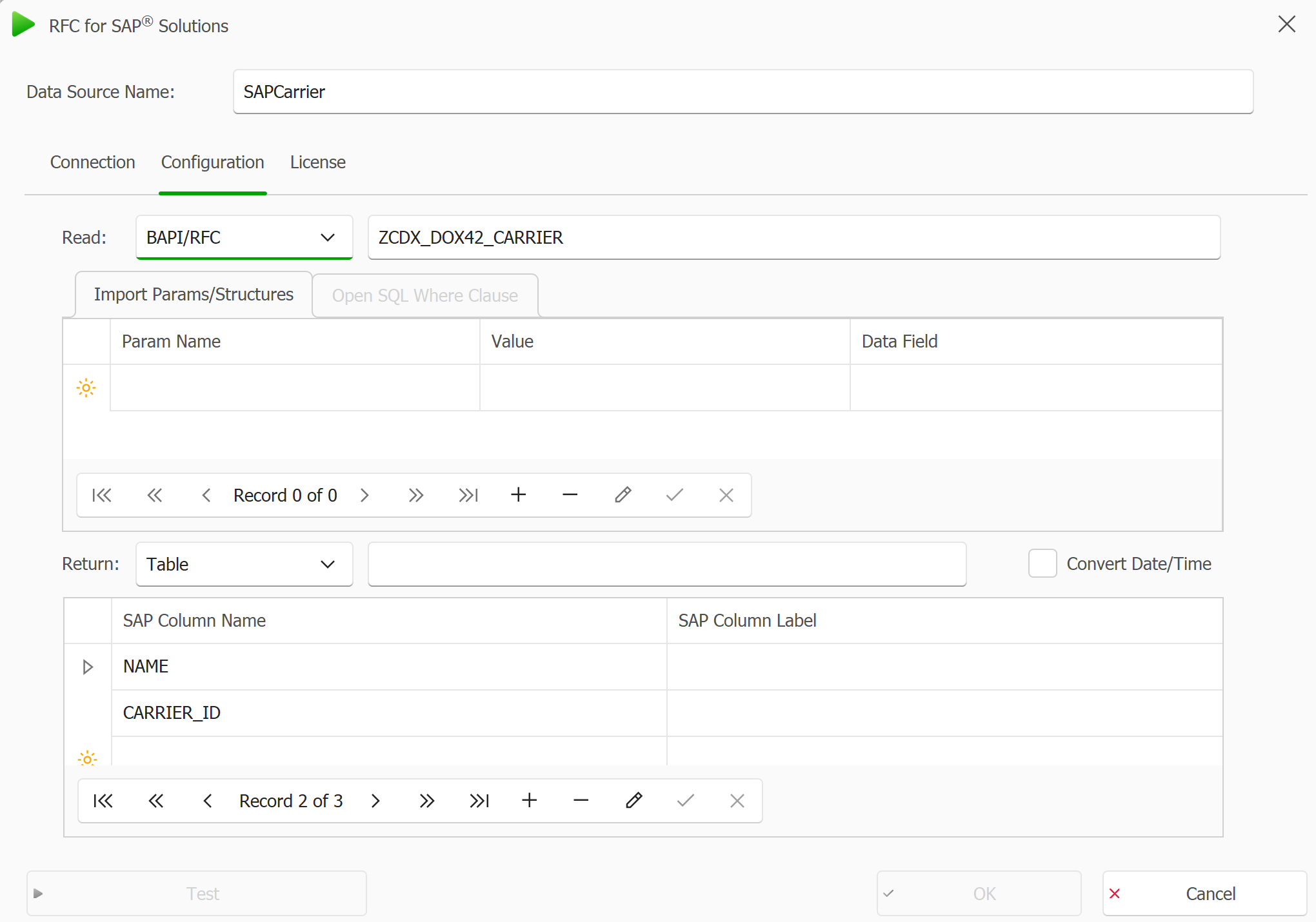
Call SAP tab in the RFC for SAP window
Result
The data source is saved and you can now use the fields for designing your dox42 templates.