When designing a template, you can easily test the outcome directly from your Add-In.
Prerequisites
Steps
In Microsoft Word, Excel or PowerPoint, open your document template.
Go to the dox42 ribbon and select Generate.

dox42 ribbon in Microsoft Word
Depending on your configuration, an input parameter dialog might open.
Optional: Select or enter a value for the input parameter.
Select Generate.
Result
You have generated a test document from your Add-In.
Tip
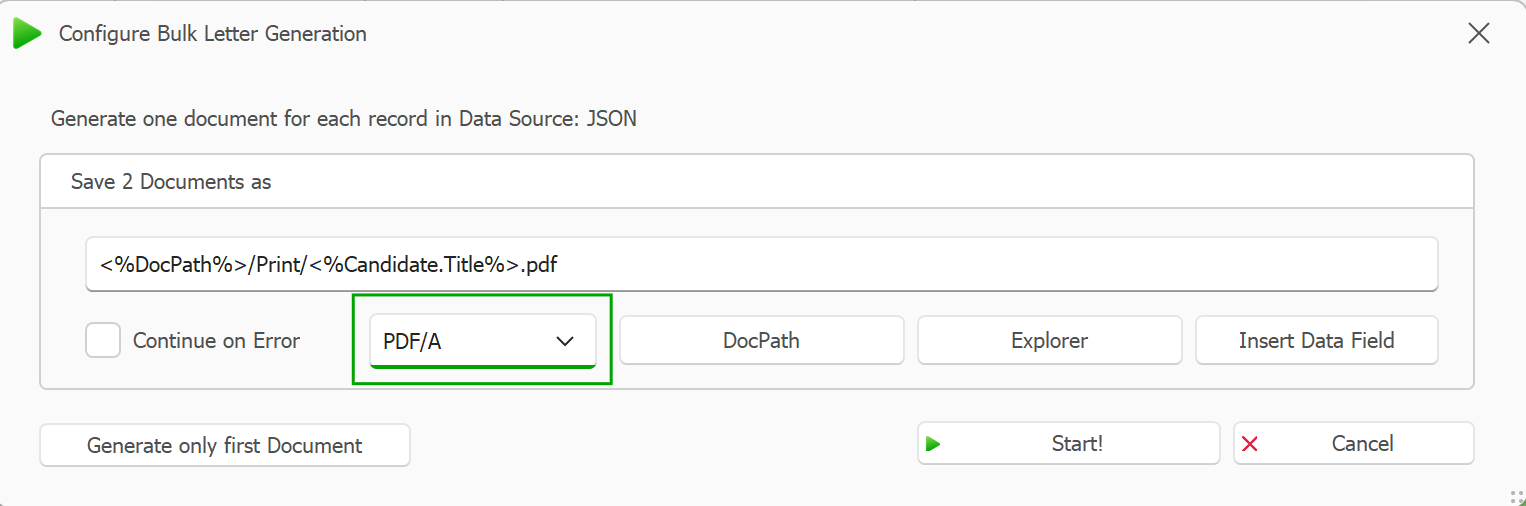
Would you like to view your test document as a PDF? Set up bulk processing and specify during generation that your documents should be printed as PDF.
Displayed Configure Bulk Letter Generation dialog before document generation