You can define input parameters in the data map of your document template. An input parameter allows the user to specify one or more parameters before generating a document. For example, you could configure an input parameter EnterID so that users can enter the ID of an employee whose information should be included in the generated document.
Steps
In Microsoft Excel, go to the dox42 ribbon and select Data Map.

dox42 ribbon in Microsoft Excel
The Data Map Designer window opens.
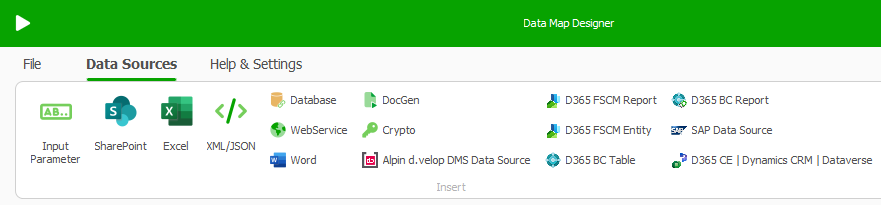
Data Map Designer window
Select Input Parameter.
In the Input Parameter name text field enter a name for the parameter, for example
EnterID.Optional: In the Comment text field enter a call-to-action text. For example:
Enter the employee's ID:.From the Input type dropdown select the desired entry:
Text: The user can enter text.
Select from Values: The user can select one dropdown entry. You enter the values for the dropdown.
Select from Data Source: The user can select one dropdown entry. You select the data source and values from the data source for the dropdown.
In this example, we use Text as input type.
In the Default Value text box enter the ID of a sample record.
You can use this sample ID when you test the generation within your add-in.Important
We recommend you to always use the ID as an input parameter as it is a unique identifier. For example, as soon as there are two data entries with the same name, the ID is the only possibility for the dox42 Add-In to tell these data entries apart and generate correct documents.
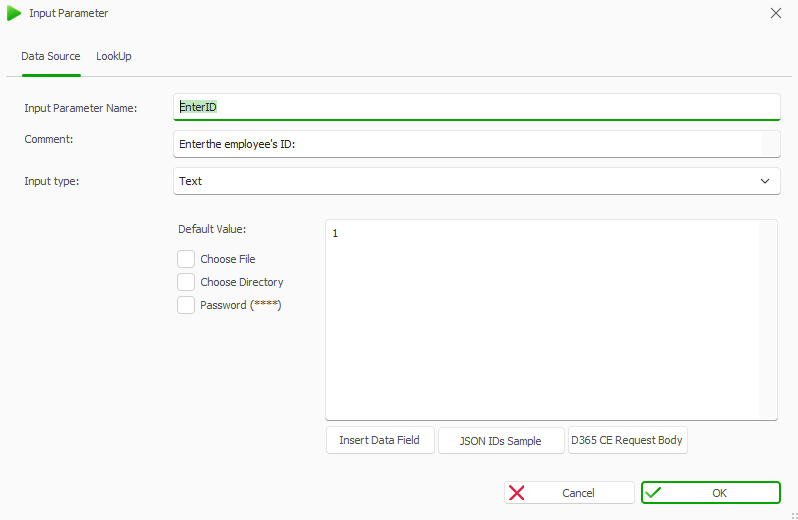
Input Parameter window
Select OK.
The input parameter is added to the data map.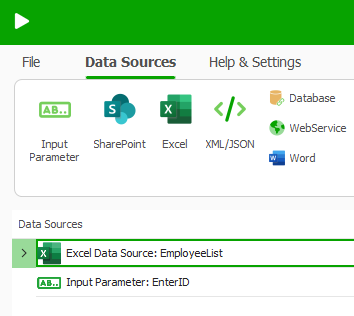
Input parameter in data map
Define a filter with a data source.
For more information, see this video tutorial from minute 16:00Select File > Save.
Save the Excel template.
Result
You have configured an input parameter. When you generate the document, you will now see the configured dialog before the document generation starts.
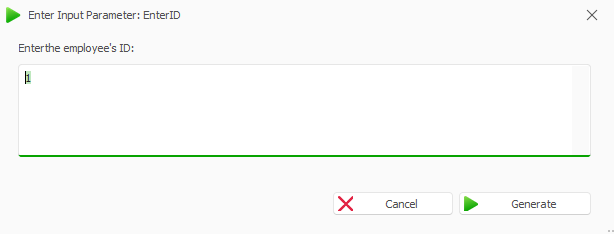
Enter Input Parameter window in Microsoft Excel