Documentation Index

Fetch the complete documentation index at: https://help.dox42.com/llms.txt

Use this file to discover all available pages before exploring further.

Setting up the SMTP parameters for dox42 Server

Prev Next

When you have selected dox42 Server as e-mail sending mode for sending e-mails you need to set up the SMTP parameters.

Steps

  1. In D365 FSCM go to System administration > Setup > dox42 > dox42 servers.

  2. In the SMTP user name text field enter the e-mail adress.

  3. In the SMTP password text field enter the password.
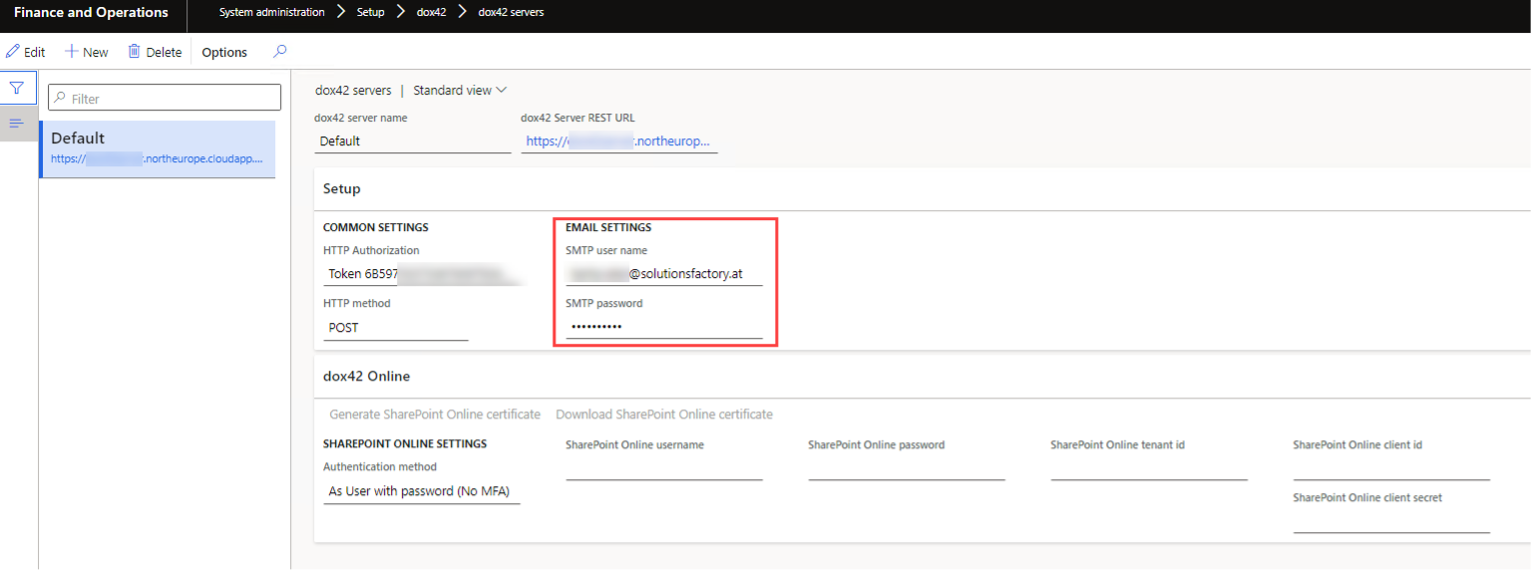
    Configuration settings for dox42 server including email and HTTP authorization details.

    SMTP settings

Result

You have set up the SMTP parameters for dox42 Sever.

© dox42 2026. All rights reserved.