In this step, you can choose which properties from the selected entity should be included in your document as new data fields. While this step is optional, selecting only the needed properties can improve performance and make it easier to work with a smaller, more focused set of variables.
Prerequisites
Successfully connected to an OData server/endpoint.
Successfully fetched data from server and selected an entity.
Steps
Select the properties to include as data fields.
Click the checkbox in the Select column for each row (property) you want to include as a data field in your document. These selected properties will be available for data mapping and can be used dynamically in your output.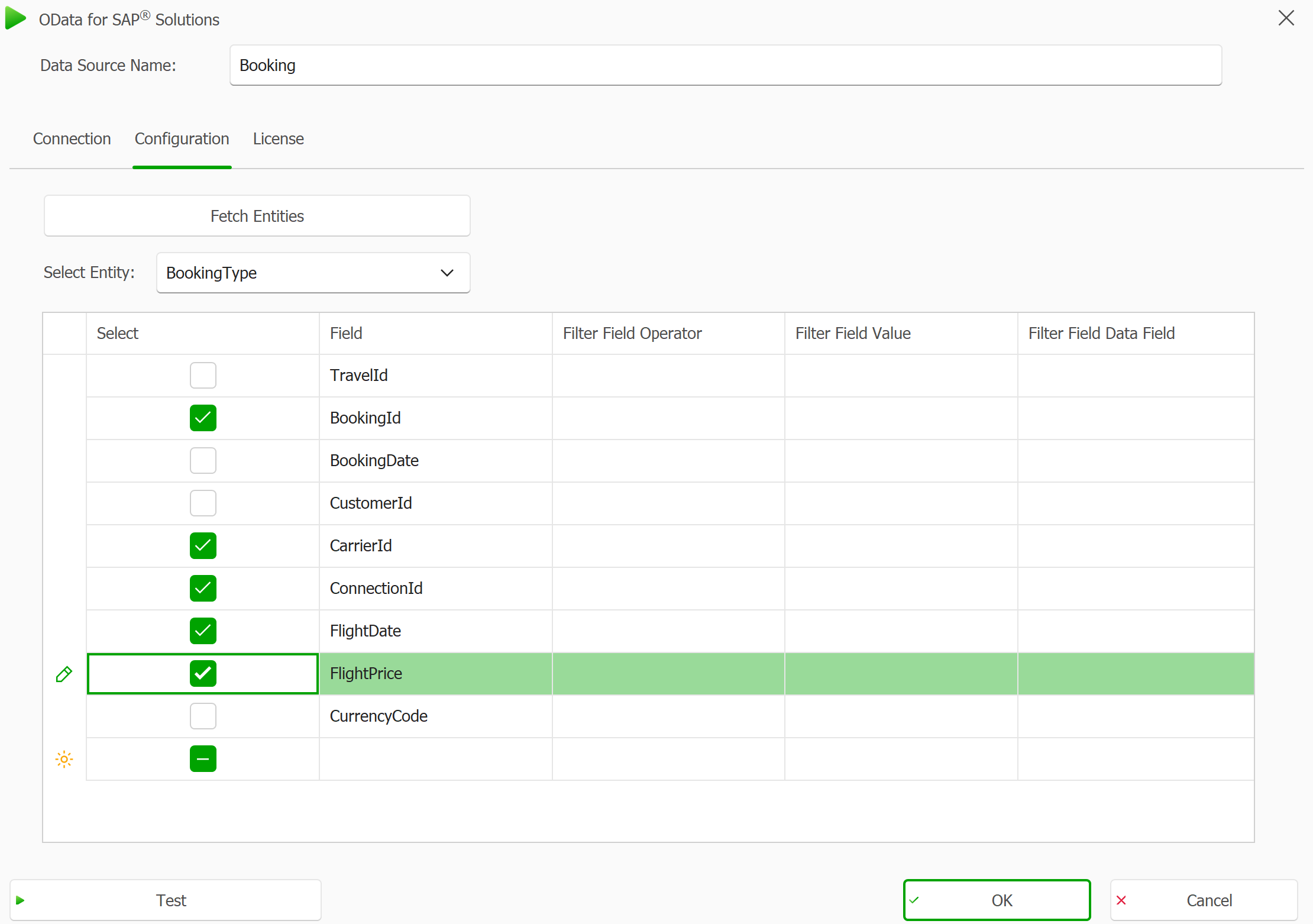
A checkmark in the Select column shows that the property is included as a data field
Select the Test button to obtain a result with restricted properties.
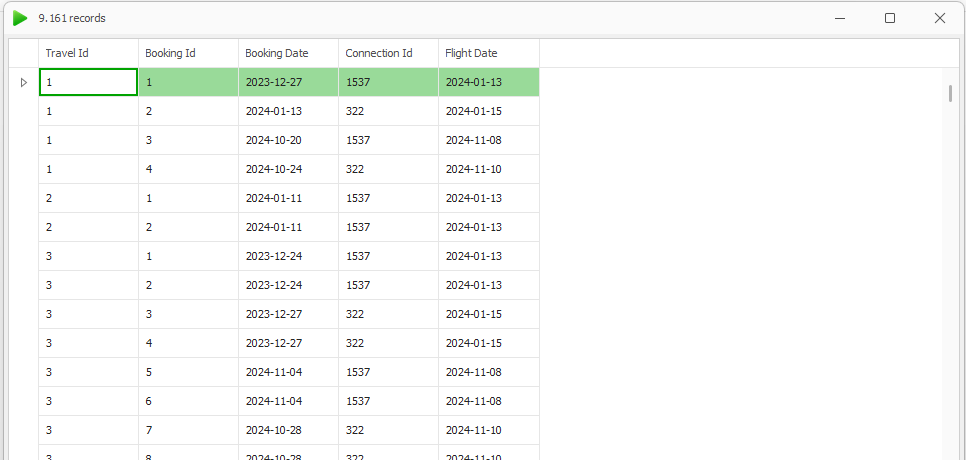
The result set now contains fewer columns
Select the OK button to save your properties.
Result
The selected properties are now defined as data fields and will be available for use in your document. Only these fields will be included in the data structure, helping to streamline your configuration and improve performance.